Phishing Attack Prevention: Expert Guide and Professional Recommendations
This guide breaks down phishing - how it happens, spotting fake emails or scams, along with ways to lower risk. Clear facts are shared here, meant for everyone to grasp without confusion.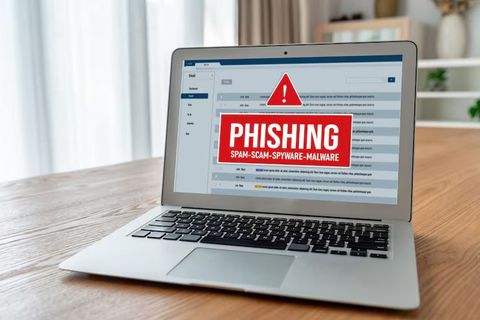
How to Stop Phishing Attacks
Most phishing attempts trick people by pretending to be someone trustworthy. Instead of breaking through digital defenses, they play on how humans react under pressure. Spotting these scams means staying alert when messages feel off. Rather than targeting code weaknesses, scammers aim at emotions like urgency or fear. A single mistaken click can open doors hackers couldn’t otherwise reach.
A scam might show up as an email, a message, a call, because it mimics real services people rely on. Crooks pretend to be banks, websites, even official departments just so they seem legitimate.
Common characteristics of phishing attempts include:
- People asking about private details
- Urgent or alarming language
- Suspicious links or attachments
- Slight variations in domain names or email addresses
Spotting these signs early cuts the chance of getting caught by a fake message.
Phishing Attack Types and Their Methods
Out of nowhere, phishing branched beyond a single trick. Now it shows up in many shapes - different moves, yet always chasing the same goal.
1. Email Phishing
A fake message shows up in your inbox, looking like it's from someone real. When you open it, there’s a request - click here or grab this file. The sender isn’t who they claim to be. A hidden trap waits inside the link or document. Most scams start just like this.
2. Spear Phishing
Someone gets picked deliberately, not at random. These messages feel real because they pull details anyone can find online - suddenly it clicks. A name here, a job title there, fits together like pieces already known.
3. Smishing (SMS Phishing)
Texts showing up out of nowhere might hide traps - clicking leads to look-alike pages asking for your details. A single tap opens doors meant to mimic real ones, built only to take.
4. Vishing (Voice Phishing)
Out of nowhere, scammers call pretending to be government workers or tech helpers. These callers try grabbing private details by sounding trustworthy. Instead of honesty, they lean on lies to get what they want. A fake sense of urgency pushes people to share too much. Often, the voice on the line sounds calm, even helpful. Behind that friendly tone sits a clear goal - take data without permission.
5. Clone Phishing
A once-trustworthy message gets quietly changed, its original links swapped out for harmful versions. Hidden inside what looks familiar, a risky file takes the place of the real one. Someone opens it expecting safety - instead, danger slips through. The format stays identical, only the payload shifts without notice. Familiar words mask new threats sitting behind fake buttons. What seemed harmless now carries something designed to harm. Every detail mimics the genuine version except where it matters most.
A look at how things stack up sits right here. One thing next to another shows differences clearly
Type of Phishing Email Phishing. Medium Used Email. Key Feature Generic messages. Risk Level Moderate. Type of Phishing Spear Phishing. Medium Used Email. Key Feature Targeted and personalized. Risk Level High. Type of Phishing Smishing. Medium Used SMS. Key Feature Short links and urgency. Risk Level Moderate. Type of Phishing Vishing. Medium Used Phone. Key Feature Real-time interaction. Risk Level High. Type of Phishing Clone Phishing. Medium Used Email. Key Feature Imitates real communication. Risk Level High
One kind builds on faith, another thrives when time feels short - both play roles in how fake messages pull people in. Trust shows up first, then pressure pushes action fast. Moments of doubt get buried under quick decisions shaped by emotion. What seems real often isn’t, yet speed overrides caution every time. Feelings guide choices more than facts do here. A split-second reaction can open doors meant to stay shut. These tricks stick because they mirror normal moments turned tense.
Spotting Fake Emails and Online Scams
Most times, spotting a fake message stops trouble before it starts. Even when hackers try harder tricks, certain red flags keep showing up.
Watch out for signs like these
- Unusual sender addresses
- At first glance it might seem right, yet something feels off when you check closer. A small tweak hides where you least expect.
- Generic greetings
- Starting with "Dear User" might mean it is a scam. Not using your actual name feels off to most people. A real message usually says who you are. When the greeting sounds empty, caution helps. Some fake notes skip names on purpose. This kind of detail raises questions. Seeing "Dear Customer" or similar? Pay attention. Real senders often know your name. Messages avoiding it tend to hide something.
- Urgent or threatening tone
- Scammers often send alerts about locked accounts to make people act fast. These urgent messages show up a lot in fake email attacks.
- Suspicious links
- A tiny window pops up when you pause on a link. It shows where the page really leads. What appears might not match the actual destination. Sneaky spots hide behind friendly words. The real address slips into view only for a moment. Eyes catch it if they’re looking close. Not every name tells the truth underneath.
- Unexpected attachments
- Out of nowhere, a file shows up - might carry something dangerous inside. Suddenly opening it could lead to trouble nobody expected.
- Mistakes in how words are spelled or how text looks on a page
- Occasionally missing, but clumsy wording might hint at a scam. Sometimes it shows up through awkward phrasing - raising red flags quietly.
Watch closely - today’s fake messages often look completely legitimate, so small mistakes matter more than ever.
How to Avoid Getting Hooked by Phishers
Most people overlook how tiny shifts in routine shield them from scams. Spotting sketchy messages becomes easier when attention sticks around longer than usual. Instead of rushing through emails, pausing helps catch odd details others miss. A slow click saves more trouble than any tool ever could. Simple rules - like checking sender names - add up quietly over time. Habits beat high-tech fixes most days. Staying safe often means doing less, not more.
Key preventive measures include:
- Verify before responding
- When a note asks for private details, check if it's real using trusted sources. A request for personal data means verify first by known methods.
- Avoid clicking unknown links
- Open your browser, then write the web address directly into the bar at the top. Sometimes skipping the link works better when things stall or freeze unexpectedly.
- Use strong and unique passwords
- One password per account helps contain harm if a breach occurs. When each login stands alone, trouble in one place won’t spread so fast. Keeping them separate means a weak point somewhere doesn’t drag everything down. Trouble stays where it starts - no free ride across your digital life.
- Enable multi-factor authentication (MFA)
- A second check joins the process, standing beside the password. It slips in after the usual login, working quietly behind. Not just one key now - the door needs another touch too.
- Keep software updated
- Patches arrive often to fix what's already broken.
- Be cautious with public networks
- When the connection isn’t secure, stay off accounts that hold private info.
- Start learning. Share what you find with people around you
- Staying alert makes a difference when it comes to avoiding phishing scams.
Fewer attacks get through when safeguards stack up like this - complete safety never happens, yet hurdles slow down most phishing tries.
Conclusion
Most phishing attacks succeed because people act too fast when they feel pressured. Instead of clicking right away, notice odd details that seem off at first glance. These messages pretend to be someone you know while pushing quick replies. Spotting them means checking sources before responding. Simple steps like pausing or asking questions help block most fakes. Awareness grows stronger each time a red flag gets flagged.
Still, staying alert works well - phishing keeps changing, after all. Paying close attention to how people interact online helps keep things secure, day by day.





