Identity Verification Security Insights: Expert Guide and Professional Recommendations
From banks to schools, flights to hospitals - digital ID checks show up nearly everywhere today. Technology teams up with safety rules and data safeguards so users stay better protected online. When folks learn what happens behind the scenes during verification, spotting threats becomes easier. Knowing the process helps shape smarter choices around private details.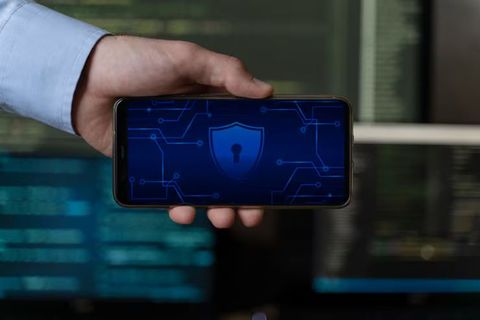
Identity Verification Security Explained?
Before letting someone into a system, checks happen to make sure they are who they claim to be. These steps stop fake identities from getting through, also blocking wrong uses of accounts. Protection measures include tools that verify personal details without exposing private data. Because breaches can lead to theft, confirming identity matters more every year. Systems balance safety by allowing real users in, yet keeping imposters out.
Out there, old ways meant handing over a password or showing ID. Today’s methods stack different techniques - fingerprint scans might link up with your phone’s signal, then wrap everything in tight coding. Security gets stronger because of it, even as people log into services from banking to healthcare without stepping inside an office.
Organizations commonly use identity verification security for:
- Online account creation
- Financial transactions
- Remote document verification
- Healthcare record access
- Government and legal processes
- Employee access management
These days, spotting who someone really is online matters a lot more - clever hackers keep finding new ways to grab private info. When safeguards are too thin, scams like phishing emails or copied login pages slip through, breaking into accounts without permission.
Common Types of Identity Verification Methods
Some ways of checking identity guard better than others. To close weak spots, a number of setups mix different techniques instead.
A person types a secret word to prove who they are. Often seen when opening email or posting online. More than one step is needed here. Banks rely on this kind of check often. Body traits help unlock access. Phones and high-security buildings use these scans. Official papers show if someone is who they claim. Used when boarding planes or handling money matters. Short-lived codes arrive by message. These support sign-in safety each time. The system remembers familiar gadgets or spots. Keeps watch over account activity quietly.
One way works well here, yet falters there. Though people still rely on passwords, poor habits expose them easily. Using fingerprints or faces feels easier, though mishandling personal details brings risk. What holds true today might shift tomorrow.
Identity Verification Security Why It Matters
Start with a solid check on who someone really is - fraud drops when that happens. Personal details stay safer too, simply because fakes get caught early. Digital platforms work better once people know they’re dealing with real identities. Skip those checks? Then gatecrashers might slip into private files or money hubs without warning.
Some important reasons why identity verification security matters include:
- Preventing identity theft
- Reducing financial fraud risks
- Protecting sensitive personal information
- Supporting secure online transactions
- Improving trust in digital platforms
- Helping organizations meet regulatory requirements
Most industries need to check who people are, just to stay within the law. Because they handle sensitive information, banks must meet tight rules on privacy. Hospitals have similar duties when managing patient records. Government offices also stick closely to these safeguards.
Technologies Behind Identity Verification Security
Faster checks now come alive through smart tools built into today’s online gates. As hackers sharpen their moves, defenses grow smarter in quiet steps behind the scenes.
Biometric Identification and Behavior Monitoring
Fingerprints, faces, irises, voices - each offers a distinct way to prove who you are. Physical features or habits become keys when systems check them against stored data.
Patterns in how people type or move a mouse now help keep systems safe. Rather than just checking fingerprints or faces, software watches daily actions over time. When something feels off - like a strange rhythm on the keyboard - the system might ask for extra proof. Touch habits on screens matter too. Alerts go up if behavior doesn’t match the usual flow.
Biometric methods provide several advantages:
- Harder to copy than a password
- Faster verification processes
- Reduced reliance on memorized credentials
- Improved user convenience
Still, fingerprints need tough digital locks plus safe keeping. When hacked, face scans differ from codes - swapping them out isn’t simple.
AI Spotting Fake Activity
Faster than most expect, artificial intelligence shapes how we confirm identities online. When odd behaviors appear, these tools spot them - often before harm follows. By studying vast piles of information in moments, they recognize when someone logs in differently. Strange times, strange locations - they catch what feels off.
Machine learning tools may help identify:
- Fake identity documents
- Automated bot activity
- Suspicious account access attempts
- Unusual transaction behavior
- Credential stuffing attacks
Machines get better at spotting scams after seeing old ones again and again. Still, people need to check in now and then so honest users aren’t flagged by mistake or treated unfairly.
Secure data with encryption storage
Hidden details stay scrambled when turned into code, blocking access to those who should not see them. While sending or saving files, strong scrambling keeps most intrusions at bay.
Organizations often combine encryption with:
- Secure cloud infrastructure
- Tokenization systems
- Access control policies
- Regular security monitoring
- Data minimization practices
When systems face digital threats, solid safeguards lower the risk of harm. A breach might happen anyway - good defenses shrink its impact. Keeping information secure isn’t a guarantee, yet it limits how much can go wrong. Even if someone tries to sneak in, strong measures slow them down. Protection that works well means less damage when things fail.
Identity Verification Security Common Risks and Challenges
Even when checks help protect online accounts, problems still pop up. Hackers keep finding fresh ways around safeguards, so upgrades never really stop.
Identity Theft and Social Engineering
Thieves online still hunt identities more than almost any other digital target. Phony sites might grab your details, just like malicious software or deceptive messages do. Sometimes a broken system spills data wide open, another way names and numbers vanish into wrong hands.
People get tricked into giving up private details through social engineering. Deceit takes hold when panic, pressure, or fake identities come into play.
Common warning signs include:
- Requests for passwords or security codes
- Suspicious account notifications
- Unusual login alerts
- Messages from unknown senders
- Fake customer support contacts
Staying alert, while thinking twice before clicking, keeps risks at a distance.
Deepfakes and Fake Identities
A person might see a face online that looks familiar - yet it was never really there. Instead of genuine footage, software shaped by machine learning builds scenes from patterns. During checks done at a distance, someone could pretend to be another simply by playing back such fabrications. These digital illusions challenge how trust forms when sight alone is no longer proof.
A mix of genuine and made-up details forms synthetic identities. Though they seem valid in system reviews, spotting them gets tricky because of how closely they mimic real profiles.
To tackle these dangers, companies now lean more on
- Liveness detection tools
- AI-based document analysis
- Multi-step verification systems
- Behavioral monitoring
- Continuous authentication methods
Fraud keeps changing shape, so security tools need constant updates just to stay close behind. New tricks appear fast, forcing defenses to shift without pause. Staying still means falling behind - protection can’t afford that luxury.
Privacy and data protection concerns
When identity checks gather details like fingerprints or ID papers, risks appear. Should such data leak or land in weak storage, private moments spill out easily.
Across different areas, new rules about data protection now expect companies to follow specific steps
- Limit unnecessary data collection
- Obtain user consent
- Protect stored information
- Report data breaches
- Maintain transparent privacy practices
Still tricky today, keeping data safe while respecting personal space shapes how we handle online IDs. Though tools improve, tension between protection and freedom lingers in every login. Every system walks a thin line - guarding info without watching too closely. What works now may shift tomorrow, yet the core stays: trust needs both safety and respect.
Secure ways to check identity
Start by using strong passwords - mix letters, numbers, figures. A fresh login method each month helps stay ahead of threats. Think twice before sharing personal details on unknown sites. Update software when alerts appear, never ignore them. Watch how websites collect data, some store more than needed. Choose tools that confirm identity without saving records long term. Mistakes happen, so review account activity weekly. Trust moves slowly; verify every new request, even if familiar names are shown.
Strong Authentication Practices
Security gets a real boost when login steps are tougher. Beyond just typing a password, requiring a second check makes breaking in much harder.
Helpful security habits include:
- Creating unique passwords for different accounts
- Avoiding predictable password patterns
- Enabling multi-factor authentication
- Updating passwords regularly
- Using password management tools
Stopping strangers from getting into accounts becomes easier this way. Preventing break-ins starts with small steps that add up quietly over time.
Handling Personal Information Safely
Thinking twice before sharing helps stay safe online. When a site asks for private data, first check where it comes from. A message might seem real but look closer - trust needs proof.
Recommended practices include:
- Checking website security indicators
- Avoiding public Wi-Fi for sensitive activities
- Reviewing account activity regularly
- Limiting unnecessary document sharing
- Monitoring notifications for suspicious access attempts
Staying alert often makes the difference when it comes to staying safe online. How people act on the web shapes their level of protection. Watching what happens around a digital space helps avoid trouble later.
Keep systems secure with routine checks and updates
Patches arrive just as flaws get spotted, keeping things patched up. Old setups tend to draw trouble when gaps are already on display.
Organizations often improve protection by:
- Conducting routine security assessments
- Updating authentication systems
- Monitoring suspicious login activity
- Training employees on cybersecurity awareness
- Applying security patches promptly
Watching things closely means problems can show up early, stopping big issues later.
Conclusion
Protecting who you are online matters more every day. Instead of just codes people now use face scans or voice checks along with smart software. Even so false profiles made by computers can trick some systems. Private details often sit exposed despite layers of scrambling tech. Strong shields exist yet thieves still find ways through weak spots. Fake identities spread faster when detection lags behind tricks.
Most people never think twice about logging in - yet knowing what happens behind the scenes shapes better habits. A login check might seem small, still it blocks many unwanted intrusions before they start. Watch closely when sites ask for details, especially if something feels off. Systems change fast, sometimes overnight, yet one thing stays - the need to guard information like it matters. Trust online grows slowly, vanishes quickly, depends heavily on these checks.





