How Two-Step Verification Works: Steps, Authentication Methods, and Best Practices
This guide walks through two-step verification by showing how it functions, exploring various ways to authenticate, while also highlighting everyday practices known to strengthen account safety. Written with regular users in mind, technical experience isn’t needed here - clarity comes first, always. Though steps may seem small, together they build tougher defenses without complexity creeping in. Understanding begins where confusion ends, usually somewhere after the third example. Each method shown fits common devices already at hand, meaning setup won’t demand new tools. Since threats change fast, routine checks matter more than perfect settings. Behind every login attempt lies a chance to block unseen intruders. Simple choices often carry the most weight when passwords fall short.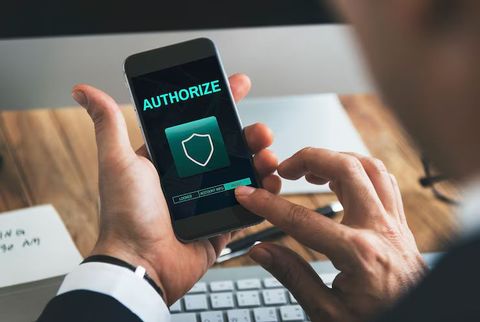
Two Step Verification and Two Factor Authentication Explained
Security gets stronger when logging in takes more than just a password. A second check kicks in after you enter your first one. This method uses two different things to prove who you are. One comes from what you know. The other arrives through something you have nearby. Access opens only once both pieces line up correctly.
Getting through this next part lowers chances of strangers getting in. A stolen password might not be enough when another check stands in the way.
One way people verify identity online is through what some call two-step verification. Another name tossed around? Two factor authentication. Sometimes it's even written out as 2 factor authentication instead. These phrases pop up like synonyms across websites and guides. True, tiny distinctions exist under the surface. Yet most times, they point to methods needing two different checks to prove who you are.
Some checks depend on just one type - others mix different kinds. Each method fits into broader groups that serve specific needs. These groups form the backbone of how things get confirmed. What matters most is which approach works when tested
- A secret only the person remembers, like a code number or access word
- A thing someone owns might be their phone. It could also be a small gadget used to unlock things. One example is a special tool that proves who you are. Another option is whatever fits in your pocket and helps log in. Sometimes it's just an item people carry every day
- Besides passwords, some systems check who you are by using body traits. A thumbprint might unlock access instead of a code. Facial patterns can serve the same role. Scanning eyes works too. These features act like keys built into your body. Recognition happens through unique details only you have
Picture typing your password, followed by a number that pops up on your phone. One step builds on another, making it harder to break through.
Enter password then confirm identity with second step
Most times the steps look much alike, even when sites appear unique up front.
Logging begins when someone types their name and passcode. That checks if they have an approved account. Next comes a request from the machine for another check. Extra steps here keep unwanted entries out. A number arrives elsewhere - maybe phone, maybe email - and gets entered. This makes sure it is really them trying to get in. Only then does entry open up fully. The door clicks shut behind only once everything matches.
Now your phone might skip extra checks if it recognizes where you're logging in from. A familiar device could mean one less thing to do each time.
A single moment more, yet that small gap might block most fake logins. Still, skipping it leaves doors wide.
Two Factor Authentication Why It Matters
Most of the time, just having a password isn’t enough - data spills happen too easily. Phishing tricks can grab them fast. Weak choices make things worse. Repeating the same one on different sites? That opens more doors to trouble.
Security gets stronger when a second step checks your identity. Something you know pairs with something you have. A code from your phone joins your password. Access becomes harder for strangers to fake. Each login needs both pieces. This method blocks many unauthorized attempts. Extra verification stands in the way of intruders
- Email accounts
- Banking applications
- Social media profiles
- Cloud storage
- Workplace systems
- Online shopping accounts
Most people who work in online safety suggest turning on extra login steps for key accounts. This makes leaked codes less damaging. One reason? A second check stands in the way when passwords get exposed.
Besides spotting logins, people might get warnings if access is tried. Early signs of odd behavior show up through these messages.
Authentication Method Types
Security today uses various ways to confirm identity. One way might work well here, yet fail there. Some approaches offer strong protection but can be tricky to manage. Others adjust easily to different needs though they may lack depth. How a system verifies users often depends on context.
SMS Verification Codes
A message pops up on your phone, showing numbers meant just for one-time sign-ins. These digits arrive by standard texting, not apps or email. Phones get them fast, usually within seconds of request. The system relies on basic cell networks, nothing extra needed. Each login attempt triggers a fresh set sent remotely.
Example process:
- User enters password
- A message with a code comes from the site to your phone
- Into the login screen goes the code typed by the user
Most people find this approach straightforward, also it's easy to access nearly everywhere. Still, experts who study online safety warn that texts could get stolen or read by others under specific conditions.
Email Verification
Some platforms send verification codes or approval links through email.
Using this approach might save time. Yet protection drops when the email lacks extra login safeguards.
Authentication Apps
Every half minute, fresh access numbers appear inside an app built for double-check security. Right from your phone, one of these tools creates short-lived keys without needing internet.
Most well-known login tools work through steps similar to these:
- User scans a setup code during account configuration
- The app creates rotating verification codes
- User enters the current code during sign-in
Codes stay right on your phone when you use an app, which is why some experts lean toward them instead of texts. Messages travel across networks, but app codes never leave the device itself - making that difference matter.
Once set up, a two-step login tool can run even with no web access.
Push Notifications
A signal pops up on a known gadget, waiting for permission to proceed with access. Sometimes it shows right away what needs checking. Approval comes through a tap - denial works just the same way. Another path opens if confirmed; blocked if rejected. Each step follows silently unless interrupted.
Faster results come when people just hit Approve rather than type out a code each time.
Still, take a close look at each sign-in prompt - just in case you hit approve without meaning to. One wrong tap might let someone through who shouldn’t be there.
Hardware Security Keys
A tiny gadget helps prove who you are when logging in. This piece plugs into a port, or links wirelessly using near-field signals, even connects via radio waves. It talks to the system so access gets granted only after verification.
Because they block so many typical phishing attempts, these gadgets usually show up where tighter security matters. Where hacking risks run high, you’ll find them working quietly behind the scenes instead of sitting idle. Their ability to shut down fake login tricks makes them a go-to pick in cautious settings. Tougher threats mean more reliance on tools like these that stand firm under pressure.
Biometric Verification
Biometric systems verify identity through physical traits such as:
- Fingerprints
- Facial recognition
- Eye scans
Fingerprints unlock most phones these days. Yet convenience rarely stands alone - extra safeguards often tag along behind.
Comparing Authentication Methods
Some ways make life easier, yet others guard better. How you go about it changes what you get. Not every approach fits all needs equally well.
Getting into accounts can happen different ways. With SMS messages, typing codes feels straightforward, especially for personal logins - yet hackers might target your phone line. Codes sent by email tend to feel familiar, often used when setting up basic access; safety here leans heavily on how locked down the inbox is. Using an app made just for login adds a step but shows up across many websites, offering tougher shields against breaches compared to texting. A popup on your device pops up fast, great for phones and tablets, although saying yes needs close attention every single time. Plugging in a small physical key brings solid defense, common where data matters most, standing strong even if someone tries tricking you. Fingerprint or face scans make entry smooth on modern handsets, typically working alongside something else instead of alone.
Depending on how someone uses their account, picking a method might come down to what kind fits best. Security needs can shift the choice without warning. User patterns quietly influence the outcome more than expected.
Authentication apps generate time‑based codes on your device
A small code shows up on your phone every few seconds when you set it up right. This happens because the website gives the app a hidden piece of data at first. Each second passes, that number changes based on the shared secret and the current time.
After setup:
- The app generates temporary codes automatically
- Codes expire after a short time
- Checking happens by the system to see if code lines up with what it should be
One moment a code works, the next it does not. Since they shift all the time, grabbing one won’t help later. Spotting an outdated version? It fades before it can be used again.
Most people go for authentication apps since these keep things safe without slowing them down. Email services, social networks, or company tools - those often rely on such logins.
When Two Step Verification Happens
Most online spaces today include a second step for signing in. Verification happens twice because systems add extra checks during access attempts.
Examples include:
- Signing into email accounts from a new device
- Accessing banking applications
- Resetting account passwords
- Confirming online transactions
- Logging into remote work platforms
- Protecting cloud-based documents
Unusual actions might trigger extra checks on certain systems, like:
- Login attempts from another country
- Unknown devices
- Multiple failed password attempts
- Sudden account changes
By adjusting on the fly, it keeps ease of use in step with protection needs.
Challenges and Limitations
Even when using two step verification, safety gets better but still has gaps.
Problems often pop up like these:
Device Loss
Should the phone vanish, logging back in gets tricky. Recovery hits a wall if there are no extra steps ready.
Most sites come with features like these
- Backup recovery codes
- Alternative email verification
- Trusted devices
- Multiple authentication methods
Phishing Attacks
Not everyone who clicks a link ends up where they think. Fake sites pop up looking just like the real thing. These copies ask for your password, then right after want the code too. Clever setups make mistakes feel normal. Few notice until it is too late. Real logins never chase two things at once. Spotting fakes means checking addresses twice. Surprises in design often mean trouble ahead.
Users can reduce this risk by:
- Checking website addresses carefully
- Avoiding suspicious links
- Using hardware security keys when possible
Notification Fatigue
Getting asked to log in too often can lead people to just hit approve without checking what they’re allowing. Sometimes rushing through these steps means missing important details. Repeated interruptions like this tend to make even cautious users skip reading fully. After a while, the habit forms of saying yes without thinking it over each time.
Each time you get a sign-in alert, take a moment to check it. Noticing details might stop someone sneaking into your account. One wrong tap could open the door wide. Look closely - what seems small now matters later. A quick glance today prevents problems tomorrow.
Two Step Verification Safety Tips
Turning on two-step verification is just the beginning. Staying safe means practicing smart routines every day.
Strong unique passwords
Starting off differently each time helps security go further than just one method alone. Not repeating login details on various sites keeps risks much lower.
A strong password usually includes:
- A mix of letters and numbers
- Special characters
- Longer phrases
- Unique combinations for each account
Keep Backup Codes Safe
When setting up an account, several platforms hand out backup recovery codes. Should a device go missing, these pieces of paper might be what brings someone back in.
Keep your backup codes somewhere secure instead of inside files that aren’t protected.
Turn On Verification for Key Accounts
Priority accounts often include:
- Email accounts
- Financial platforms
- Cloud storage
- Social media accounts
- Work-related systems
When someone tries to recover a forgotten password, they often need entry to their inbox. That is why keeping email safe matters so much. Access to messages can open doors to other accounts too. A weak mail defense might allow others to step through those openings easily.
Update Devices and Applications
Most software upgrades include better protection against threats. Staying current with device and app changes lowers weak spots.
Look for Unusual Behavior
Beware of sudden notifications showing logins you did not make. Strange devices popping up in your account could mean someone else is trying to get in. Emails about password changes you never requested might be a red flag. These signs often appear when strangers attempt entry without permission.
Checking your account now and then spots issues before they grow.
Conclusion
Starting off strong, confirming who you are takes more than a password these days. Text messages with codes show up fast but carry risks if your phone gets compromised. Instead of relying solely on passwords, some people prefer using special apps that generate time-sensitive numbers. A quick tap on a notification can approve access without typing anything at all. Fingerprint scans or face recognition make logging in smooth when available. Physical devices you plug in act like digital keys for tighter control. Depending on where you are or what device is used, one option might work better than another. Security shifts based on how easy it is to use each approach day to day.
Most people agree that authentication apps plus physical keys beat plain SMS checks when securing logins. Still, keeping backup codes handy alongside careful password routines supports solid defense overall. Knowing what happens behind two step login screens helps shape smarter choices online. Decisions around work profiles or private data often come down to these details.





