Password Security Checklist Insights: Expert Guide and Professional Recommendations
Getting your passwords right means knowing what steps actually work. One useful path? Following a solid checklist that shows exactly how to build, keep, and update login details safely. Tools matter - especially those that store passwords neatly while reducing guesswork. Another layer pops up when you add extra verification beyond just letters and numbers. Routine checkups on access points catch problems before they grow. Think of it like maintenance: small moves, big impact over time. Clarity beats complexity here - ideas are broken down without jargon so anyone can follow along.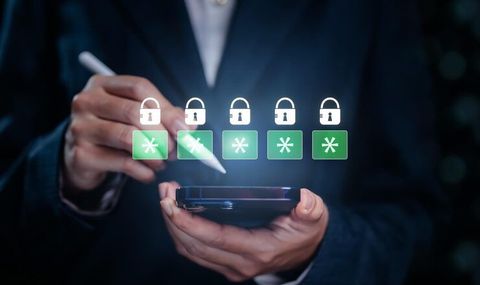
Why Password Safety Is Important
Keeping passwords safe means using smart steps to stop others from getting into your online accounts. When passwords are too simple or used in more than one place, hackers have an easier time breaking in through tricks like fake login pages or automated guesswork. A lot of times, problems happen not because systems fail, but because people pick weak codes, repeat them everywhere, or write them down where they shouldn’t.
Most online services store bits of your life - phone numbers, bank history, chats, files you keep at work. A stolen login can open more than just one door. That’s when hackers move sideways through linked profiles. Experts push for clear rules on how passwords should be managed.
A Password Security Checklist Typically Includes These Areas
- Creating strong and unique passwords
- Using multi-factor authentication
- Avoiding password reuse
- Updating credentials regularly
- Monitoring suspicious login activity
- Storing passwords securely
- Using password manager tools responsibly
What these steps aim to do isn’t make things harder for people. Stopping frequent security gaps in online accounts matters more.
Strong Password Essentials
Most secure passwords tend to be long, one-of-a-kind, tough to guess. Websites often suggest mixing capital letters, small letters, digits, along with special characters. Still, just being complex does not guarantee safety. Being lengthy matters just as much. So does never reusing it anywhere else.
Below, a look at everyday ways people handle passwords - each choice affects safety in different ways.
One wrong move with passwords can open many doors. A single breach matters more when every login matches. Long strings of words stand up better to wild guesses. Names or birthdays give attackers their first clue. Two steps beat one when confirming identity. Notes left out where eyes wander invite trouble. Tools built to store secrets keep them tidy and locked.
Most experts say longer phrases beat simple passwords. Words strung together - odd ones, maybe split by digits or marks - stick in your mind yet trip up hackers trying to break in.
A mix of unrelated words with odd marks often beats a brief code made through expected letter swaps.
Weak passwords and poor security habits expose accounts to threats
Still, passwords cause problems for people and companies alike. Hackers grab account details through tricks like scam messages, harmful software, look-alike sites, or stolen databases.
Some of the most common password security risks include:
Password Reuse
One reason folks stick to a single password everywhere? It sticks in their mind without much effort. Yet trouble starts when just one login gets exposed - suddenly that match works elsewhere too.
Weak Password Patterns
Most people still pick obvious codes like 123456 or password. These choices get cracked fast because machines try them first. Keyboard walks, like qazwsx, show up a lot too. Tools built for breaking passwords run through these in moments.
Phishing Attacks
Hidden behind false websites, phishing attempts often push people to hand over their passwords. Not always emails - sometimes they show up as texts or posts online. A message might look real, yet lead straight into a trap. Pretending to be trusted sources, these scams spread through any digital channel. Login requests arrive out of nowhere, nudging you toward giving access. What seems urgent could simply be manipulation in disguise.
Unsafe Storage Methods
Stashed in a plain note file, passwords might slip into the wrong hands. When someone else uses that same device, the danger grows even without warning. A spreadsheet saved openly invites trouble just as fast. Shared folders? They hand access straight through the door. Each click on public hardware adds another crack somewhere unseen.
Lack of Multi Factor Authentication
When a password gets leaked, extra layers of login checks can stop attackers cold. Not every threat slips past second barriers during sign-in attempts.
Because they see the dangers clearly, people can choose better ways to guard their accounts and stay safer online.
Password Managers and Safe Login Storage
One thing about password managers - they keep your logins safe by locking them away with encryption. Instead of remembering every code, you rely on a single master key to unlock access. Hidden inside digital vaults, each credential stays out of reach from outsiders. Creating tough new passwords becomes normal, not a chore. Accessing sites feels smoother when everything lives in one protected spot.
Most folks look into apps that store passwords after realizing how tough it is to keep track of so many different ones by hand. When checking how they handle online safety and where they save login details, a few go over Keeper alongside similar tools.
Password managers generally support features such as:
- Password generation
- Encrypted storage
- Device synchronization
- Secure password sharing
- Login autofill
- Security monitoring alerts
Most people pick weak codes when they have too many to remember. A tool that stores logins changes that by removing the mental load. Instead of repeating the same phrase everywhere, you might finally try something unique each time. Since recall stops being part of the task, longer and less predictable combos become possible without effort. What used to feel annoying now feels automatic.
Benefits and Limits of Password Managers
One thing worth noting - password managers help keep accounts tidy while cutting down on mistakes people make. Still, it helps to know what these tools do well - and where they fall short.
Potential Benefits
- Supports unique password creation
- Reduces reliance on memory
- Helps manage multiple online accounts
- Encourages regular password updates
- Simplifies secure credential storage
Possible Limitations
- Requires protection of the master password
- If login details get lost, getting in might become tough
- Device compatibility can vary
- Security practices differ between providers
Most people checking out password tools care about how data is locked up, login steps, ease of use, because each person has their own habits. What feels safe at work might feel too heavy for home stuff, so choices shift based on where you are.
Secure Password Practices Advised
Most experts agree - simple habits beat tangled rules when it comes to staying safe online. Instead of heavy systems people ditch fast, clear steps tend to stick better. What matters isn’t complexity - it’s doing the basics, again and again.
Most advice on keeping passwords safe usually mentions these tips
Long unique passwords
One reason folks pick weak codes? Repeating them across sites. Try stuffing random words together - length fights off bots better than complexity ever did.
Enable Multi-Factor Authentication
Most times, using more than one check helps lock down your login better. Think: an app that approves access, a number sent by message, maybe even your fingerprint. Each extra step slows down anyone trying the wrong way in.
Monitor Account Activity
Checking your login history now then again later helps spot odd activity. A sign someone might have accessed your details shows up in strange alerts. Sometimes a log entry appears that you do not remember making. That moment often means passwords need changing right away.
Change passwords following security breaches
When news breaks about a site leaking user data, changing your password fast helps limit damage. A quick update after a breach alert cuts down on risks later. Hearing of compromised info online means acting soon keeps accounts safer. Right after learning of a leak, swapping passwords lowers chances of more harm.
Avoid Sharing Passwords Informally
Messages sent over apps or email can expose login details. Rather than typing them out, using built-in tools in password apps lowers exposure. These methods protect data better compared to regular chat or mail.
Watch Out for Public Wi Fi
When using public Wi-Fi, someone might see your login attempts unless protections are active. Moving into an account on a shared connection demands caution. Connection gaps can leak details. Open systems carry unseen watchers. Guarding credentials matters most when the network lacks locks. Every tap on a guest link risks exposure. Safety slips when signals travel freely. Watch each step taken online where others also connect.
Check Stored Passwords Regularly
Hidden dangers can come from old logins using ancient passcodes. Checking every now and then reveals repeats or shaky entries. Sometimes a forgotten login is the one causing trouble.
Creating a Simple Guide to Protect Your Passwords
A useful habit begins when people write down their password rules. Step by step, these notes guide choices each day. Written prompts stick around longer than thoughts alone. Over weeks, small reminders shape stronger routines. Structure replaces guesswork every single time.
A simple personal checklist may include:
- Use a unique password for every important account
- Eight characters minimum when making a password
- Avoid personal names or birthdays in passwords
- Enable multi-factor authentication where available
- Use a trusted password manager for storage
- Review security alerts regularly
- Change passwords after suspicious activity
- Avoid logging into sensitive accounts on shared devices
- Keep devices and browsers updated
- Verify website authenticity before entering credentials
Starting off differently each time keeps habits sharp when using tools on phones or computers. One way it works is by guiding steps so nothing gets missed, no matter the device.
Password Security Trends And Evolving Technologies
Still shifting, how we guard passwords moves with tech advances and sharper online dangers. Not relying on codes anymore, certain groups test logins through fingerprints, physical keys, or trusted mobile tools.
Fingerprint scans, along with face detection, now show up often on phones and computers. Though they can lessen the need for old-style passwords, plenty of setups keep those codes just in case.
Out of nowhere, artificial intelligence has begun reshaping how cyber defenses are built. Instead of relying only on passwords, security tools now watch when people log in, what devices they use, while spotting odd behaviors that stand out. These shifts help catch risks faster, simply by learning what normal looks like.
Even now, after all the progress, plenty still rely on passwords to keep things locked down online. Staying sharp about how to handle them safely matters just as much - in daily life, at school, even at work.
Conclusion
Staying safe online often comes down to how you handle your login details. Using the same code everywhere? That opens doors for trouble. Tougher entries tend to block everyday digital dangers more effectively. Building a clear plan makes it easier to keep defenses steady on different sites.
Staying on top of login details means using tools that store passwords securely. One way to add protection is by turning on extra verification steps every time you sign in. Checking accounts now and then helps catch odd activity before it grows. Since online spaces keep shifting, knowing how passwords work matters just as much today. Simple choices can quietly lower risks without drawing attention.





