Multi-Factor Authentication Basics Overview: Concepts, Benefits, and Key Facts
Most people skip extra login steps, yet those hurdles actually block unwanted guests. Picture this: your password alone isn’t enough anymore - something else must match too. A code from an app, a fingerprint, maybe even a blinking USB stick. Each added layer makes break-ins far less likely. These checks happen quietly behind the scenes when you log in somewhere new. Think of it like proof stacked on top of proof just to open one door. Apps that generate time-based codes are now standard tools for many services. Safety grows when more than just letters and numbers guard entry points. What seems annoying at first becomes routine after a few tries.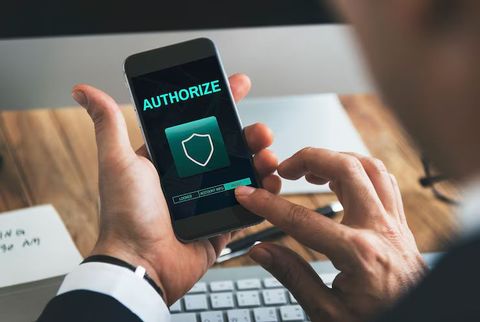
Multi Factor Authentication Explained Simply
Most times, logging in takes just a password. Now picture needing one extra step after that. That second check might be a code from your phone. Some systems ask for face scans instead. One method alone can fail. Combine them, though, safety goes up. Hackers grab passwords now and then. Yet they often lack the second key. Without both pieces, entry gets denied. Locks work better when layered like this.
Something you know, something you have, something you are - these make up the usual breakdown of login methods
- Something the user knows
- Passwords
- PIN numbers
- Security questions
- A thing belonging to the person using it
- Mobile phones
- Security tokens
- Authentication codes
- Something the user is
- Fingerprints
- Facial recognition
- Voice recognition
Most times logging in means typing your password then waiting for a short-lived code from your phone. That second check cuts down on stolen passwords being useful. Sometimes that code pops up inside an authentication app instead of arriving by message. Cyber crooks find it harder when both pieces are needed. Sneaky websites trying to trick users lose their edge here.
Common MFA Authentication Methods
One way some systems work is by mixing how they check who you are. Not every setup cares about speed - some care more about locking things down tight.
Below is a list of often-seen MFA approaches laid out in straightforward format
A number arrives by text to confirm identity. Often used when logging into personal online spaces. Instead of waiting, codes pop up inside phone apps that refresh every minute or two. Trusted by email services and storage in the cloud. Someone gets a prompt on their handheld gadget, tapping yes or no to let it through. Common across company networks and work tools. A small tool connects via port or wireless touch to prove who you are. Big organizations rely on these for tighter safeguards. Scanning fingers or recognizing faces unlocks devices quickly. Found mostly on phones and financial sites. Users check messages for a link or digit combo mailed to them. This works broadly for signing into many everyday profiles.
Most people now use auth apps since these tools make single-use codes without needing SMS. Every half minute or so, a fresh code appears in the app, which helps block unwanted access attempts.
Every now and then, a business will set up something like Duo MFA to handle who gets into work systems. Often, that kind of app links right into the company's sign-in setup, locking down worker profiles along with what they can reach inside.
Multi Factor Authentication Helps Protect Accounts
Starting with stolen logins is how plenty of digital break-ins unfold. Weak codes get picked way too often, while others hand out their login details like spare keys on ten different sites. One leak happens - suddenly those identical details open doors elsewhere just the same.
One extra step stands between hackers and your account when MFA is turned on. Should someone steal a password, getting past the second check often stops them cold - access fails without that follow-up proof.
Some important benefits include:
- Less chance someone gets in without permission
- Additional protection against phishing attacks
- Better security for remote work systems
- Improved account monitoring and login awareness
- Stronger protection for sensitive personal information
These days, lots of sectors push for MFA due to growing worries about online safety. Banks rely on it just as much as hospitals do, since both face constant digital threats. Schools have started adopting it too, especially those running classes online. Cloud providers bake it into their setup - security simply works better that way.
Multi Factor Authentication App Types and Tools
Most people now rely on authenticator apps to help protect their online accounts. Right from your phone, these tools create short-lived access keys that refresh every few seconds - offering stronger protection compared to SMS-based codes when threats like SIM swapping exist.
Most times, a second-step sign-in tool kicks off by scanning a small square barcode. After it links to your profile, out pop fresh access keys over and over again. These change every few seconds, without pause. You type one in each time you open the service. That step proves it is really you trying to get in.
Common Features in MFA Apps
Most multi-factor authentication tools come packed with alike safeguards and user-friendly touches
- Time-based one-time passwords
- Offline code generation
- Device synchronization
- Backup and recovery options
- Push notification approvals
- Multi-account support
Most people look for a reliable authenticator app that works well with their phone, feels straightforward to use, or fits into how they already manage devices. Yet each tool handles tasks differently - shaped by whether it runs on Android or iOS, what level of protection is needed, even rules set by employers.
Out of nowhere, some office setups rely on duo multi factor authentication - mainly since it handles push alerts along with unified control over logins. Sitting quietly in the background, a duo mfa app can monitor sign-in behavior while spotting familiar devices too.
Differences Between SMS and Authenticator Apps
Most people still rely on SMS codes simply due to habit and ease of use. Yet security pros tend to favor app-based tools since hackers may reroute texts using tricks aimed at phone carriers.
One way to look at it shows a few clear contrasts
SMS Verification vs Authenticator App. Mobile Network Needed Versus Often Works Offline. Security Moderate Versus Higher in Many Cases. Codes Sent by Text Message Versus Generated Locally. Risk of Interception Higher Versus Lower. Depends on Phone Number Versus Linked to App Setup.
Even if it's less common now, using an app for login codes beats just a password - yet getting a code by text message also helps way more than relying on passwords alone.
Biometric Authentication and Multi Factor Authentication
Built into most modern devices, fingerprint sensors make logging in smoother than typing codes. Devices spot your face or thumb instead of asking for secret words. This kind of check moves fast, skipping the hassle of password recall. Recognition by body traits is becoming common alongside older methods.
Fingerprints or face scans often show up not instead of passwords, but right beside them. A login process might ask for your password followed by a thumbprint check, one after the other.
Common biometric technologies include:
- Fingerprint scanning
- Face recognition
- Iris scanning
- Voice recognition
Though quicker for access, fingerprints or face scans bring up questions about who keeps your details safe. Handling such personal information means following strict rules so people still believe in the system.
Security Issues and Typical MFA Queries
Even though MFA adds a layer of protection, clever hackers still find ways around it. As digital dangers grow more advanced, bad actors try slipping past checks through fake login pages, tricking users, or hijacking gadgets directly. Sometimes safety steps fail when people get fooled easily. Sneaky tactics like cloned apps or stolen tokens open backdoors despite safeguards. New tricks emerge constantly, testing every defense measure quietly.
When people see where MFA falls short, they can choose better ways to guard their accounts.
Common MFA Security Challenges
Some common challenges associated with MFA systems include:
- Lost or damaged devices
- Phishing attacks targeting authentication codes
- Notification fatigue from repeated login prompts
- Account recovery difficulties
- Device compatibility issues
Some hackers build counterfeit sign-in sites that steal passwords along with one-time access codes. That’s why staying alert about online threats still matters, even if multi-factor checks are turned on.
Security steps get layered when companies add MFA alongside other protections like:
- Password management policies
- Login monitoring systems
- Device verification checks
- Suspicious activity alerts
- Security awareness training
How Account Recovery Works
When people lose their authentication tool, it often causes stress. Yet most multi-factor setups offer ways out - through backup options designed to help. Getting back in stays secure when these steps are followed carefully.
Options for getting better could involve:
- Backup recovery codes
- Secondary authentication devices
- Verified email recovery
- Identity verification procedures
When your phone is out of reach, having backup codes safe means less trouble getting back in. A locked device won’t block access if those codes are tucked away properly. Without them nearby, regaining entry could take much longer. Keeping these copies secure makes all the difference during surprises. If something happens to your main gadget, that precaution pays off quietly.
MFA in Daily Digital Life
Nowadays, plenty of websites and businesses rely on multi factor authentication. People might run into it while doing things like:
- Logging into email accounts
- Accessing banking platforms
- Using workplace collaboration tools
- Signing into cloud storage systems
- Managing healthcare portals
- Accessing educational resources
Worldwide, more companies now use multi-factor authentication because working from home is rising alongside tools stored online. Security upgrades keep rolling out so access stays safe yet simple for everyone involved.
Tips for Safer MFA Usage
Several practices can help users maintain stronger account security when using MFA authentication systems:
- Use unique passwords for different accounts
- Turn on MFA whenever it's offered
- Keep devices updated regularly
- Avoid sharing authentication codes
- Verify login pages before entering credentials
- Store backup recovery codes securely
Even when tools are strong, people stay a common weak spot - attackers spend time studying habits instead of just breaking code.
Conclusion
Starting off, knowing the basics of multi-factor authentication helps make sense of how accounts stay protected today. Instead of just using passwords, systems now layer extra checks so access is harder to fake. One way uses smartphone apps that generate time-limited codes each minute. Text messages with login codes show up too, though they’re less secure than some options. Fingerprint scans or face recognition bring body traits into play for unlocking devices. Physical keys you plug in work separately from networks, making them tough to hack remotely. Each method adds a barrier, meaning one broken piece won’t open everything.
Most people rely on authenticator apps these days just to keep their online accounts safer. Duo’s system, along with similar tools that support multi step sign ins, adds an extra barrier against unauthorized access. Even though using two checks at login won’t stop every kind of attack, it helps a lot when paired with careful browsing habits plus thoughtful ways of handling passwords.





