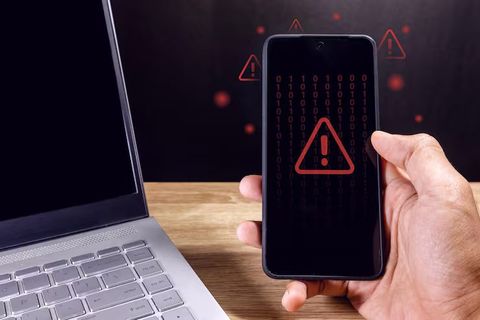
Mobile Network Security Methods: Strategies, Solutions, and Protection Tips
Phones need protection beyond locks or virus scanners. Because of risks online, strong safeguards matter daily. Connections should stay private through encrypted channels. Updates patch weaknesses before trouble finds them. Logging in might require fingerprints or codes instead of simple words. People play a role by thinking ahead when tapping screens. Knowing what works keeps data safer across devices. Protection grows stronger when habits shift with threats.
From the start, mobile networks guard information by using layers of protection that shift as threats evolve. One way they do this is through encryption, which scrambles data so only authorized devices can understand it. Though signals travel wirelessly, steps are taken behind the scenes to keep personal details hidden from outsiders. Hackers often target phones because people carry them everywhere, making stolen login codes or messages more valuable. Instead of relying on a single defense, systems combine updated software, secure connections, and user habits to stay ahead. When browsing online or sending photos, invisible checks help confirm each step stays private. Even small actions - like locking a device after use - add up over time. Protection grows stronger when settings match real-life usage patterns, not just default choices.
Mobile Network Security and Data Privacy
Security on mobile networks means using tools, habits, and rules to guard phones and wireless connections against digital dangers. Devices like smartphones, tablets, wearables - even apps running over Wi-Fi, cell signals, or Bluetooth - fall under these safeguards. Though risks differ, each layer helps block unwanted access. Connections shift often, yet defenses stay active across changing links. Protection isn’t perfect, but steps reduce how much harm can happen.
Messages travel nonstop from phones to distant computers, tying safety of that flow directly to how private your details stay. When shields around this movement weaken, hackers find chances - peeking at texts, grabbing saved files, watching what you do online. Protection gaps open doors best kept shut.
Few things lately made protecting cell networks matter more. Phones connect to everything now, so risks grow faster. Hackers find new ways often, pushing firms to act. Old safeguards fail under fresh pressure. Data moves constantly, creating openings for leaks. People rely on devices daily, raising stakes overall
- Growing use of mobile banking and digital payments
- Increased remote work and cloud access
- Frequent use of public Wi-Fi networks
- Expansion of connected devices and smart technology
- Rising phishing and scam attempts targeting mobile users
Security on phones builds up in separate levels. Each level guards the gadget or shields information traveling online.
Mobile network threats and risks
Smartphones hold loads of private info - banks, messages, logins - which makes them juicy targets for hackers. Not every app you download plays fair; some sneak in malware without warning. Weak Wi-Fi spots can leak data just as fast, opening doors to unseen intruders. Attacks don’t always come from downloads - sometimes the connection itself is the weak spot.
Shown here are a few typical risks to mobile devices along with what might happen if they occur.
Tricking people with fake messages pretending to need private details might lead to stolen accounts or someone using your name wrongly. When crooks grab info sent over open public internet spots, they could find passwords or snatch personal records. Apps that look safe but actually harm your gadget may break it down or wipe what is stored inside. Someone moving your mobile number to their own card without permission opens doors to bank logins and security checks. Weak wireless links let outsiders slip into devices, pulling files or taking command behind the scenes. Hidden programs watching every move you make risk exposing habits, conversations, or secret behaviors.
Most breaches happen because people make mistakes, not due to complex hacking tools. A single click on a strange link might be enough to leak private data. Giving apps too many rights opens doors without realizing it. Simple actions often lead straight into digital traps.
Stopping problems before they start matters most when protecting mobile devices. Yet spotting odd behavior early helps just as much. Fast fixes follow close behind whenever something feels off.
Mobile Security Enhancements Through Technology
Out of today’s cell systems come layers that guard your data more closely. Built-in methods lock down messages, confirm who you are, then wrap digital files in extra cover.
Encryption
Hidden within scrambled signals, everyday words turn into puzzles needing a special key to unlock. On cell towers and wireless links, voices travel shielded, texts stay locked, money exchanges remain cloaked, web visits slip through unseen. These digital guards stand quiet but constant. Without the right passcode, intercepted pieces mean nothing. Protection rides along every connection point by design. Even if caught midair, secrets stay sealed.
Examples include:
- Encrypted messaging applications
- Secure HTTPS website connections
- Device storage encryption
- Virtual private network (VPN) encryption
Should someone grab the data while it moves, scrambled code keeps the contents out of reach. Encryption turns readable details into messy strings only authorized users can untangle.
Multi-Factor Authentication
A second check kicks in before letting someone into an account. Not just a password matters here - something else proves who they are. Access needs more than memorized text; it might need a code from a device nearby. Logging in becomes harder for strangers if another piece stands in the way. What you have, like a phone, works alongside what you know
- One-time verification codes
- Biometric scans
- Authentication applications
- Security keys
If passwords get leaked, this method still keeps things safer. How? It adds another layer that blocks most intruders. Even when login details fail, the system holds firm. Breaches become harder without extra permissions. Security stays strong beyond just one weak point.
Mobile Device Management
Organizations often use mobile device management systems to control and secure employee devices. These systems can:
- Enforce security settings
- Monitor device compliance
- Restrict unauthorized applications
- Remotely erase lost devices
Working from anywhere means more people use personal gadgets for jobs. Because of this shift, keeping track of phones and tablets at work matters a lot now. Not long ago, company tech stayed inside offices. Today it moves with employees. Rules around usage help avoid problems later. Ownership blurs when devices serve double roles. Control needs balance between freedom and security.
Secure Network Protocols
Security grows stronger as wireless rules change over time. Though built differently, today’s mobile and home networks guard data using smart verification and coded signals. These layers make weak spots harder to find.
Examples include:
- WPA3 security for Wi-Fi networks
- Secure DNS protocols
- 5G network authentication improvements
- Protected VPN tunnels
When information moves from one gadget to another across the web, these tools keep it safe. Moving through digital pathways, your details stay protected by such tech. Safeguarding data during transfers happens quietly behind the scenes. As files pass between machines, protection stays active automatically. During exchanges online, security comes built into the process itself.
Simple habits for better data privacy
Security begins long before software updates arrive. Simple choices shape how safe someone stays online each day.
Staying safe online often comes down to simple steps. When people take time to protect their accounts, risks drop fast. A few smart choices separate most attacks from success. Locking things down early blocks many problems later. Most dangers never reach those who prepare ahead.
Keep Software Updated
Most software patches patch holes hackers could slip through. When upgrades wait, weak spots stay open longer than they should. Fresh code rolls out repairs quietly behind the scenes. Old bugs linger if nobody hits install. Missing these changes is like ignoring a rust spot on a door frame - small now, maybe big later. Updates arrive because flaws showed up somewhere earlier. Systems running outdated versions tend to carry avoidable dangers. Each delay stretches the window for trouble to walk in.
Fresh fixes roll out on their own, keeping gadgets up to date without waiting. Devices stay protected because updates arrive fast, triggered by system cues instead of manual steps.
Review Application Permissions
Most apps on phones ask to use tools like your camera, contact list, microphone, or where you are. Yet certain ones want these even when they do not need them to work right.
Start with fewer people seeing your details - trimming down who gets in cuts risk. Permissions checked often mean less chance of leaks. Fewer open doors keep private stuff safer. Tightening access means just the right folks get through. Less exposure happens when limits are clear. Watch the gates closely, stop extra eyes wandering where they should not be.
Use Strong Authentication Methods
Most security problems start with weak passwords. Yet tossing in a fingerprint check or sending a code can tighten things up. A password alone won’t hold much weight these days. Slap on extra layers - like face scans or number strings - and doors stay shut to intruders. Tough combos slow down break-ins better than short words ever could.
Useful password practices include:
- Using different passwords for different accounts
- Avoiding predictable phrases or dates
- Changing compromised credentials promptly
- Using secure password management tools
Avoid Unsecured Public Networks
Out there in coffee shops, transit hubs, or guest houses, open Wi-Fi could let strangers peek at what you send. When it comes to moving money or handling logins, locked-down connections lower the danger.
Should you need public Wi-Fi, using encryption alongside a VPN may boost your privacy. Though open networks carry risks, shielding data through secure channels helps. A connection that scrambles information stands stronger against snooping. Even in shared spaces, taking steps like these adds layers. With tools designed to hide activity, exposure drops noticeably.
mobile security issues in today’s digital world
With phones getting smarter, dangers shift just as fast. Because hackers tweak their tricks, fresh gadgets often face new risks.
Several emerging trends influence the future of mobile network security.
More devices connecting to networks
From smartwatches to fitness bands, data flows across mobile connections. Vehicles that link online add lanes where risks can slip through. Home gadgets tied to apps open windows hackers might crawl into. Every new gadget hooked up nudges the door ajar just a bit more.
One way to handle safety on many gadgets is building tougher login methods while keeping data exchanges locked down. When more machines join the network, checks at entry points grow sharper along with encrypted pathways between them.
Increased Cloud Dependence
Out there, plenty of phone apps tuck data into online storage spots instead of keeping it on your gadget. Sure, those web-based setups make things easier to reach from anywhere - yet they demand strong locks plus scrambled code to stay safe.
Keeping data safe means guarding the phone just as much as the online systems it talks to. A weak spot in either one puts everything at risk. What happens on the screen ties directly to what's stored far away. If the link between them slips, secrets can leak. Protection works only when both sides hold up. One fails, the whole shield cracks.
Growth of Mobile Payment Systems
Folks everywhere now tap phones instead of cash, a shift speeding up lately. Because secrets travel scrambled inside digital talks, sneaky theft drops when checks happen through hidden codes.
Security steps like turning card details into codes keep getting better because banks and money apps are always adjusting them. Biometrics now play a bigger role as these systems shift toward fingerprints or face scans instead of passwords.
AI used to watch and detect threats
Out of nowhere, AI tools spot odd actions across networks. These automated setups notice signs tied to malware instead of just reacting after damage occurs. Phishing tries show up clearly because the system learns what looks off. Unusual logins get flagged before harm spreads through a channel.
Even when tools boost tracking power, staying alert helps protect personal space while steering clear of abuse.
Balancing Convenience and Privacy
Most people like getting to apps and websites quickly. Yet when shortcuts aren’t watched closely, they can weaken safety measures.
Examples include:
- Saving passwords on shared devices
- Connecting automatically to open networks
- Allowing excessive app permissions
- Ignoring security notifications
Staying safe while making things easy? That’s a puzzle people and companies keep wrestling with.
Keep mobile data private and secure
The following habits can support safer mobile network use in daily life:
- Enable screen locks and biometric protection
- Install applications only from trusted sources
- Disable unused Bluetooth or wireless features
- Regularly back up important data
- Monitor account activity for unusual behavior
- Avoid clicking suspicious messages or links
- Use secure connections when accessing sensitive information
- Remove unused applications from devices
Staying alert about safety over time usually works better than pinning hopes on one software fix. While tools help, ongoing attention shapes stronger habits.
Conclusion
These days, phones carry a lot of private details - bank info, messages, daily habits. Because people rely on them constantly, guarding that data matters more than ever before. Hidden risks grow alongside convenience. A single weak link might expose everything. Protection isn’t just about passwords anymore. Signals travel through invisible networks, each one a possible doorway. What seems safe at home can turn fragile in public hotspots. Devices talk to towers without anyone noticing. That silence holds danger when left unchecked.
Security today leans on scrambled data, ways to confirm identity, safer internet pathways, while people stay alert. Risks like fake emails, harmful software, open Wi-Fi spots, intruders slip through less often because of these steps.
Staying safe on mobile devices means mixing tools, know-how, and steady upkeep. What you face online often depends on what risks are out there right now. Clearer habits with messages and files can reduce problems fast. Digital spaces grow more linked each day - caution matters more because of it.