How Secure Remote Access Works: Steps, Technologies, and Best Practices
While working from afar, details might slip out when links lack strong shields. Hackers poking where they should not, grabbing messages mid-air, or slipping in bad code - these worries push better ways to connect. Tools appear: screen-sharing apps, hidden tunnels online, scrambled talks, checks that prove who you really are - all chip away at danger.
One way to look at secure remote access is through the tools it uses. Most setups rely on encryption to keep data hidden during transfer. Instead of open pathways, private tunnels often carry information safely across networks. Authentication checks happen before any connection opens up fully. Some systems require extra verification after login too. Firewalls help block unwanted attempts while allowing real users through. Updates patch weaknesses that attackers might exploit otherwise. Monitoring shows when something unusual happens behind the scenes. Methods change depending on device type or network size. Safety grows stronger when each layer adds its own protection.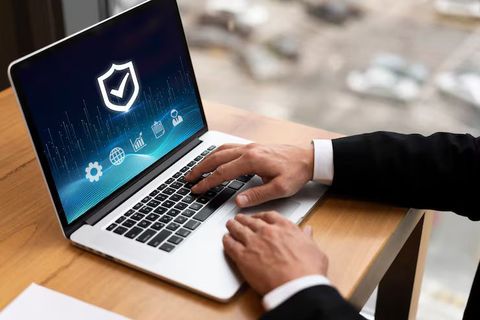
Secure Remote Access Explained
Working from far away safely means getting into a machine or online setup without being nearby. Protection kicks in so only approved people can open documents or run programs. Distance does not matter when barriers keep strangers out. Approved logins make entry possible, yet outsiders stay blocked. Safety comes first even if connections stretch across cities.
Years went by, remote access changed a lot. Old setups used basic passwords mostly; today's systems stack several safeguards instead. Encryption might show up here, along with checks that confirm identity, proof of trusted devices, or constant watch over network traffic.
Secure Remote Access Used Across Multiple Environments
- Remote work environments
- Educational institutions
- Healthcare systems
- Financial organizations
- Cloud computing platforms
- Technical support operations
One way some systems work is through remote desktop tools. These let someone see and operate a machine from far away, just like being there. Safety-focused options rely on scrambled data paths along with login checks to lower threats.
Secure Remote Access Common Components
Who gets in depends on proving who they are. Data stays safe while moving through scrambled channels. A hidden pathway forms between distant machines when needed. One computer can act like it is sitting right where another one stands. Rules decide which doors open, depending on your role. Eyes watch every entry attempt and flag anything odd. Secret codes shield information as it travels across networks
Secure Remote Access Technologies
Working behind the scenes, multiple tools combine to build safety into remote access. One handles authentication while another guards data flow. A firewall might block intruders at the gate whereas encryption scrambles messages in transit. Though separate, they sync up tightly. Their roles differ but fit like puzzle pieces. Without one piece, gaps appear. Protection grows stronger when all run at once.
Remote Desktop Software
From far away, someone might control a different machine using visuals on screen. When the link works, that person could open documents, run programs, or adjust options found on the distant computer.
Most companies and schools rely on this tool since it allows users to connect from different places. Because of its design, today’s remote desktop programs usually come with features like
- Encrypted sessions
- Multi-factor authentication
- Session timeout controls
- Device authorization
- Activity logging
Security gets stronger because of these tools, yet people still find them easy to use.
Virtual Private Networks
Hidden inside every connection, a virtual pathway forms when someone links their machine to a distant system. Through that passage, details travel scrambled into unreadable chunks. Because of scrambling, eavesdroppers struggle to make sense of what slips by. Only once arrived, does the data return to normal shape.
Most staff members rely on secure tunnels while accessing work networks through personal or shared Wi-Fi. Because data gets scrambled during transfer, private details stay hidden more reliably.
Multi-Factor Authentication (MFA)
Most times a password just isn’t strong enough on its own. Because of that, multi-step checks can step in to confirm who you are before letting you through.
Common authentication factors include:
- Passwords or PINs
- Temporary verification codes
- Mobile authentication apps
- Fingerprint or facial recognition
If someone gets your password, MFA still blocks their way in.
Encryption Protocols
When data moves from one place to another, it gets scrambled by encryption. Whoever receives it needs a special key to unlock the message. Without that key, the information stays hidden. Only those meant to see it can make sense of what's inside.
Secure Remote Access systems commonly use encryption protocols such as:
- SSL (Secure Sockets Layer)
- TLS (Transport Layer Security)
- AES encryption standards
Midway through transmission, these tools help block outsiders from grabbing data. Networks stay safer when signals move protected by such methods.
Secure remote access explained step by step
A connection begins when a user reaches out from afar to touch a distant system securely. Even if tools differ slightly, most setups follow nearly the same path. What matters is how each step locks down access before moving forward. Steps unfold in order, yet small changes appear depending on the setup used. The goal stays fixed: keep data protected while linking machines across space.
User Asks to Connect
A connection starts as someone tries reaching a distant system through remote desktop tools, sometimes via a virtual private network, at other times over cloud platforms.
Information like names shows up in the request
- Username
- Device information
- Network location
- Authentication credentials
Verify Your Identity
Checking begins by seeing if the person can reach what they asked for. Usually, that means typing a password along with another step to prove it is really them.
Some groups add extra checks when confirming who someone is. When those checks do not pass, entry gets blocked.
Secure Tunnel Setup Complete
After verification kicks in, encryption starts up between device and server. Often, a secure tunnel forms using methods like those found in private network tools.
Hidden pathways keep information safe during travel across gadgets. A secure link guards details as they shift from one machine to another.
Check Who Can Get In
Every now and then, someone tries a door. Who gets through depends on their role, team, or the rules in place. Access unfolds quietly behind the scenes.
For example:
- A finance employee may access accounting systems
- A support technician may access troubleshooting tools
- A student may access learning platforms only
Limit access, you lower the risk of data being seen where it should not be.
Remote session starts
Once confirmed, access opens remotely. Depending on what they’re allowed to do, people work with programs, documents, or machines. Access level decides exactly what happens next.
Midway through the meeting, software could record details like:
- Login times
- File activity
- Session duration
- Failed login attempts
End of session
Once someone logs out or stops interacting past a set time, it shuts down - either by itself or when triggered. The system closes access after inactivity, unless done on purpose earlier.
When a session ends by itself, it lowers the chance of unauthorized access if a device is left alone.
Remote Access Common Risks
Even when remote access makes work easier, risks often show up in hidden ways. Still, opening doors online means threats can slip through just as fast.
Weak Passwords
Most break-ins start with weak or repeated login codes. Bots try thousands of combos fast.
Unsecured Networks
Out in the open, public Wi-Fi can let others see your data when strong encryption isn’t active. A single weak link might be enough for information to slip through. Without proper protection, anything sent could travel where it shouldn’t. Hackers sometimes wait nearby, ready to grab what flows freely. Even basic tasks become risky on unsecured connections. Hidden dangers often come not from flaws but from missing safeguards. What seems convenient might quietly invite unwanted access.
Phishing Attacks
Some hackers try tricking people with fake messages that look real. When someone falls for it, their account details can be taken. With those details, outsiders might get in without permission.
Outdated Software
Out there, older programs sometimes carry hidden flaws. Because of this, hackers might find ways in. Staying on top of upgrades makes those openings harder to reach.
Lost or Stolen Device
Should someone lose a gadget meant for logging in from afar, strangers might try reaching whatever it can connect to. A thief could grab that tool left behind and poke around places they should not be near. When such equipment vanishes, whoever finds it may start exploring networks tied to the machine. Lost gear of this kind opens doors - others walk through without permission. Without that device nearby, people who shouldn’t have access often give it a go anyway.
Secure Ways to Connect Remotely
Most people take steps to lock things down without making access too hard. When groups apply simple safeguards, risks tend to shrink but entry stays smooth.
Strong Authentication Methods
Because security rules are tough, they block intruders more effectively. Experts suggest using methods like these:
- Long and unique passwords
- Multi-factor authentication
- Regular password updates
- Account lockout policies
Keep Software Updated
Most software patches include better defenses against new threats. When remote access programs get refreshed, weak spots tend to disappear. Fresh versions of security apps close gaps attackers might exploit. Systems stay more resilient after OS upgrades roll out. Outdated tools invite trouble, especially if neglected too long.
Limit User Permissions
Access stays limited to just what each person needs for their role. When rights are tight, damage shrinks if an account gets taken over.
Monitor Remote Sessions
Strange actions might show up through monitoring systems like: Unexpected signs could appear when tracking behavior such as: Signs of odd events may come from oversight tools including:
- Multiple failed login attempts
- Access from unfamiliar locations
- Unexpected file transfers
- Login activity outside normal hours
Besides spotting issues fast, groups can react sooner when risks appear.
Secure Every Remote Link
When data moves from one place to another, encryption keeps it safe. Every time someone connects remotely, strong protocols guard the exchange - using protected pathways is key. A locked channel means outsiders cannot see what passes through. Protection matters most when signals travel across networks. Remote sessions rely on these shields to block unwanted eyes. Without encryption, private details could slip into the wrong hands.
Teach People About Security Dangers
Wrong moves by people still pose big risks online. When staff learn what to watch for, they spot dodgy emails more easily. Clicking strange links? That habit fades with practice. Staying safe on the web often comes down to spotting red flags early.
Differences Between Traditional and Secure Remote Access
Back then, linking remotely felt clunky, slow, unpredictable. Today’s secure access moves smoother, tighter, built for now. Old ways left gaps - current setups close them without fuss. Connection isn’t just possible anymore - it behaves differently at its core.
Old-style remote entry. Safer ways to connect remotely. Just passwords for sign-in. Alongside codes from devices. Basic scrambling of data. Using stronger coding methods. Little oversight on usage. Ongoing tracking of actions. Access given to many features. Specific rights based on roles. More risk when logging in. Added defenses working together
Now better tools let today’s setups handle rising cyber threats without falling apart. What changes is how fast they adapt under pressure.
Cloud Technology Enables Remote Access
These days, offices handle distant connections differently because of cloud technology. Running everything on-site is less common since digital tools shifted to online networks. Out in the open web, software lives far from company walls, yet stays within reach. Physical machines sit quieter now, while data flows through invisible hubs across countries.
Out there, where internet connections reach, folks access work stuff through different gadgets. Jumping between laptops, phones, or tablets just works - no desk required. Here’s a twist: that freedom needs guardrails. Think login checks, data scrambling, constant watch for strange activity. Protection lives in layers, not one big lock. Each piece chips away at risk while things run smoothly behind the scenes
- Centralized identity management
- Automatic software updates
- Scalable authentication systems
- Real-time monitoring tools
Working across different places gets easier because cloud systems link people whether they are at home, in an office, or on the move.
Secure Remote Access Future Trends
One step ahead, tech pushes how we connect from afar. New ways of logging in safely could show up soon. Machines that learn might watch for strange behavior. Stronger locks online may become normal. Some tools will check devices before letting them join. Speed and safety working together - this could be next. Ways to prove who you are might change too
- AI-based threat detection
- Passwordless authentication methods
- Behavioral analytics for user verification
- Zero-trust security frameworks
- Improved biometric authentication
Security gets tighter here without making things harder for users. One step forward means access stays smooth even as protections grow. Changes roll out quietly so daily use feels unchanged. Safeguards increase but simplicity remains in place. Effortless entry continues alongside stronger barriers behind the scenes.
Conclusion
From far-off places, people reach into digital setups without exposing data thanks to guarded channels. Instead of just passwords, layers like encrypted links, verification steps, and virtual private networks block unwanted entry. Tools watching every move pair up with permission rules so only the right eyes see what they should. These pieces fit tight, lowering danger while letting work happen across distances. How each part behaves changes often - yet the goal stays fixed: safe connections, no matter where you start.
When people connect from afar, safety steps shift to match fresh risks and different ways of working. Knowing what happens behind the screen lets users and teams keep online talks under tighter control. Because login checks matter, staying current on patches matters too - security leans on both. Hidden data paths protect information, while alertness shapes habits that hold breaches at bay.





