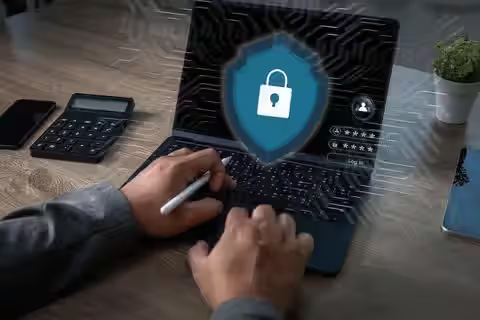
Digital Access Control Methods: Strategies, Solutions, and Protection Tips
Starts by breaking down digital access control into everyday terms, showing what happens behind locked screens. Moves through varied settings where swipe cards, codes, or fingerprints keep spaces secure - schools, offices, homes. Uses real-life links instead of jargon so anyone can follow along without prior know-how. Shifts focus to small but strong habits that sharpen alertness when handling entry systems. Built for regular people, not experts, keeping ideas light but accurate. Ends with useful notes that stick close to daily experience.
Understanding Digital Access Control
What keeps some people out while letting others in? Digital access control handles who gets into certain areas - online or real-world. It works by checking identities before granting entry. Not everyone passes through; only those approved gain permission. Systems like these guard doors, networks, even files. Approval might come from codes, badges, sometimes fingerprints. Protection happens quietly behind the scenes. Without it, sensitive spots would be open to anyone walking by.
Out there where things plug in, doors open using gadgets that talk to computers. Think swiping a card, typing codes, fingerprints doing checks, even phones unlocking gates. One part clicks with another so strangers stay out yet folks who belong can move through. Stuff stays put, spaces stay calm, because what's inside gets treated like it matters.
Starting off, digital access control rests on recognizing someone through a credential. Following that comes checking if the person has permission to enter. Finishing up, the system unlocks only when everything matches correctly
Who shows up? A name typed into a login box. Checking if that name fits? A code entered or a finger pressed on a sensor. Once matched, what happens next? Doors open - folders appear, screens load. Not just who you are, but where you’re allowed to go. Names get verified before anything unlocks.
One step follows another, building a clear way to manage who gets in where. How each part connects shapes the whole process. Without one piece, the system falters. Order matters here, keeping control steady across platforms.
Common Types of Digital Access Control
Where things happen shapes how they’re locked down - needs shift with user count, risk level, one-size never fits. A setup might rely on just a keycard, whereas another demands passwords, scans, maybe even timed entry slots. Complexity grows when stakes rise, simplicity wins where trust is high.
Password-Based Access
Still hanging around everywhere, password setups guard entry to digital spaces. A person picks a secret combo just for themself - keeps things locked up tight. When those combos get repeated across sites or handed off? Risk creeps in fast.
Strong password practices often include:
- Using long combinations of letters, numbers, and symbols
- Avoiding personal information
- Changing passwords periodically
- Using different passwords for separate accounts
Biometric Authentication
Built into phones, offices, secure sites - biometric tools check who you are using traits like your face, fingerprint, or eye pattern. Though common now, they rely on body details rather than keys or codes.
Fingerprints or face scans might replace passwords, yet questions about personal data safety pop up just as fast. When companies adopt these tools, protecting stored information becomes a must - without strong safeguards, risks grow quietly behind the scenes.
Smart Cards and Key Fobs
Inside classrooms, hallways, or workspaces, small plastic cards let people move through locked doors. A quick touch against a reader unlocks access without keys. These gadgets show up in housing units, company buildings, labs, and factories. Instead of turning locks by hand, staff hold the item near a sensor. Entry happens fast when the system recognizes the signal.
Most of these setups keep logs of who comes and goes, updating fast when someone’s clearance shifts. When keys go missing, admins usually wipe them remotely using one main control hub.
Multi-Factor Authentication
A login step might ask for a password before sending a code to your phone. One method alone isn’t enough - something you know pairs with something you have.
This way of stacking protections makes breaking in tougher, since getting past it needs several proofs of identity. Banking systems, medical records portals, even offices accessed from home - more places now ask for multiple checks before letting someone through.
Why Digital Access Control Matters
Starting off, digital access control helps keep things safe, private, and running smoothly in various fields. When safeguards are weak, people who shouldn’t get in might reach sensitive data, tools, or locked areas.
Many organizations use digital access control to support:
- Protection of sensitive records
- Monitoring of building entry activity
- Limiting employee access to specific departments
- Reducing risks related to unauthorized system use
- Supporting compliance with security regulations
Most people interact with digital access control every day without even noticing. From smartphones to email platforms, entry depends on specific permissions set by the user. Logging into an account? That step checks identity before granting entry. Smart homes function similarly, allowing entrance only when credentials match. Each device uses a method to confirm who is trying to connect.
When devices link together online, handling who can enter them matters more every day.
Role Based Access Control Systems
Permissions get tied to jobs people do, that is how RBAC works. Not every tool fits each hand - roles shape who can use what inside a company.
For example:
Someone working a regular job might log into everyday office software. Though they handle basic tasks, their reach stays within standard platforms. A team leader views schedules plus progress summaries for staff members. While not touching core infrastructure, they organize assignments and timelines. The person managing tech setups adjusts safety rules along with machine preferences. Even with wide privileges, oversight remains part of routine checks. Guests gain limited entry only for short durations. Unless granted more rights, their options stay minimal by design.
When jobs share similar tasks, grouping access rights saves time. Permissions follow roles, not people. That means changes happen once, then apply to everyone in that role. Following duties makes updates quicker. One edit covers many users at once.
By limiting access to just what each person needs, mishaps with private data become less likely. Since staff interact solely with tools tied to their role, safety within daily operations gets a quiet boost.
Cloud and remote access security
Out there where teams operate today, digital hubs power most daily tasks instead of old office setups. Devices like phones or portable computers link workers across cities thanks to constant web connections. Location hardly matters now since login access opens everything needed.
Now security matters more because of how things have changed. Because of this, companies rely on coded links, ways to check who people are online, plus watching devices closely. These steps help make working from outside safer.
Some common remote access practices include:
- Secure login portals
- Temporary session time limits
- Device recognition systems
- Authentication applications
- Activity monitoring tools
Besides today’s defenses, tomorrow might need different ones since hackers change their methods constantly. Updates keep remote entry safer when hidden risks shift behind the scenes.
Common Challenges in Digital Access Control
Though digital access controls offer advantages, problems pop up too - security gaps, hiccups in daily use. Not everything runs smooth just because it's modern tech.
Weak Credential Management
Most people still handle passwords carelessly. Weak ones, or those reused across accounts, open doors to breaches. When logins are shared, tracing activity becomes nearly impossible.
Lost or Stolen Devices
A door might open when someone finds a dropped badge. Phones vanish in coffee shop booths. Stolen tokens work until the system catches up. A delay lets strangers walk through secure entries.
System Complexity
Thousands of people spread through many teams and places fill big companies. When rules stay unclear, keeping access in order grows messy over time.
Privacy Concerns
Fingerprints or face scans could leave traces where they should not. Yet keeping things safe often means holding on to details people would rather keep private. Still, firms find themselves caught between locking down access and treating records with care.
Figuring out these hurdles lets groups build tougher access plans that stay fair. While tackling problems head on, teams shape rules that hold up under pressure. Because weak spots show where fixes are needed, smarter controls take root over time. When gaps appear, responses grow sharper through practice. Not every attempt works at first, yet lessons stick after repeated efforts.
Secure Digital Entry Practices
Most times, better digital locks come from mixing tools, people knowing what to do, then keeping systems checked. Small changes might lower danger now and then.
Use Multi-Layer Verification
Something extra stands in the way when more than one login step is required. A code alongside your password, or a fingerprint check instead, makes breaking in much harder.
Check Who Can Access Things Often
From time to time, someone checks what people are allowed to do on systems. When workers move teams, their access needs a second look. If they stop working there altogether, that access gets taken away. Outdated rights can cause issues down the line.
Keep Systems Updated
Cyber threats evolve fast; fresh patches help close weak spots found in code. When upgrades stall, old dangers stay unlocked inside the system.
User security awareness education
Wrong moves by people still lead to many security issues. When folks learn to spot odd logins, fake emails, or weak passwords, safety gets stronger.
Monitor Access Activity
Tracking who enters a building often happens through digital systems that record logins and entries. When someone checks these records regularly, odd patterns tend to show up - like when an unknown person tries to get in. These signs pop out more clearly over time, especially if looked at soon after they happen. Spotting them early changes how quickly responses can follow.
Create Emergency Access Procedures
When lights go dark or systems crash, some teams have quiet plans ready. Even during chaos, work pushes forward without dropping safety rules.
What’s Next for Digital Entry Systems
Still shifting, digital access tools change when workplaces adjust their safety rules. New tech steps in once old ways fall behind. Each upgrade fits how people now work online.
Several emerging trends include:
- Increased use of mobile-based authentication
- Artificial intelligence for threat detection
- Passwordless login systems
- Cloud-managed access platforms
- Behavioral authentication systems
From how fast someone types to when they usually log in - little routines give clues about who is really using a device. Not yet everywhere, but chances are these methods will show up more often as ways to stay protected grow.
One shift sees locks and login systems working together. Picture door logs linking up with computer networks, making oversight smoother through combined data streams.
When tech shifts, digital entry systems might keep juggling ease of use alongside speed and personal boundaries. Still, how that balance plays out depends on choices made behind the scenes.
Conclusion
Getting into buildings, systems, devices, or data can be handled more securely using digital tools meant to verify who is allowed entry. Instead of just keys or codes, these setups rely on confirming identity first, then checking permissions before granting entry. One way might involve typing a password; another could scan fingerprints or facial features to confirm it is really you. Some setups go further by requiring both a card and a code, layering different checks at once. These steps - proving who you are, showing valid credentials, then receiving approval - are tied closely to keep unwanted users out. Security improves when multiple types of proof back each request to enter restricted areas. Though simple in concept, combining ID checks with permission rules creates stronger barriers than older physical locks alone. Even small organizations now use such systems because they adapt well to changing user needs over time. Each method varies, yet all aim to answer the same question: should this person reach what they’re trying to get? Technology like smart cards works alongside software to allow access only after successful validation steps finish.
These days, many companies rely on such tools so they can block intruders, keep an eye on activity, while building secure online spaces. Weak passwords often cause trouble, just like misplaced gadgets or worries about personal data - reasons why constant oversight matters along with informed users. Moving forward, advances in tech will likely weave access controls deeper into various industries, making them smarter, flexible, yet common in everyday operations.